
Channel monitoring
Review new posts in one place and choose which ones to work with.
What it does
Follow new posts from up to 20 public Telegram channels in one desktop app.
How it helps
The app collects posts from your selected sources for review. Monitoring gives read access only.
Example
Follow channels covering local business and transport, then select news to review before writing for your own channel.
How to set it up
Step 1 of 4
Connect Telegram
Sign in to Telegram through the desktop app before adding channels. Keep the app open while monitoring.
Step 2 of 4
Add channels to monitor
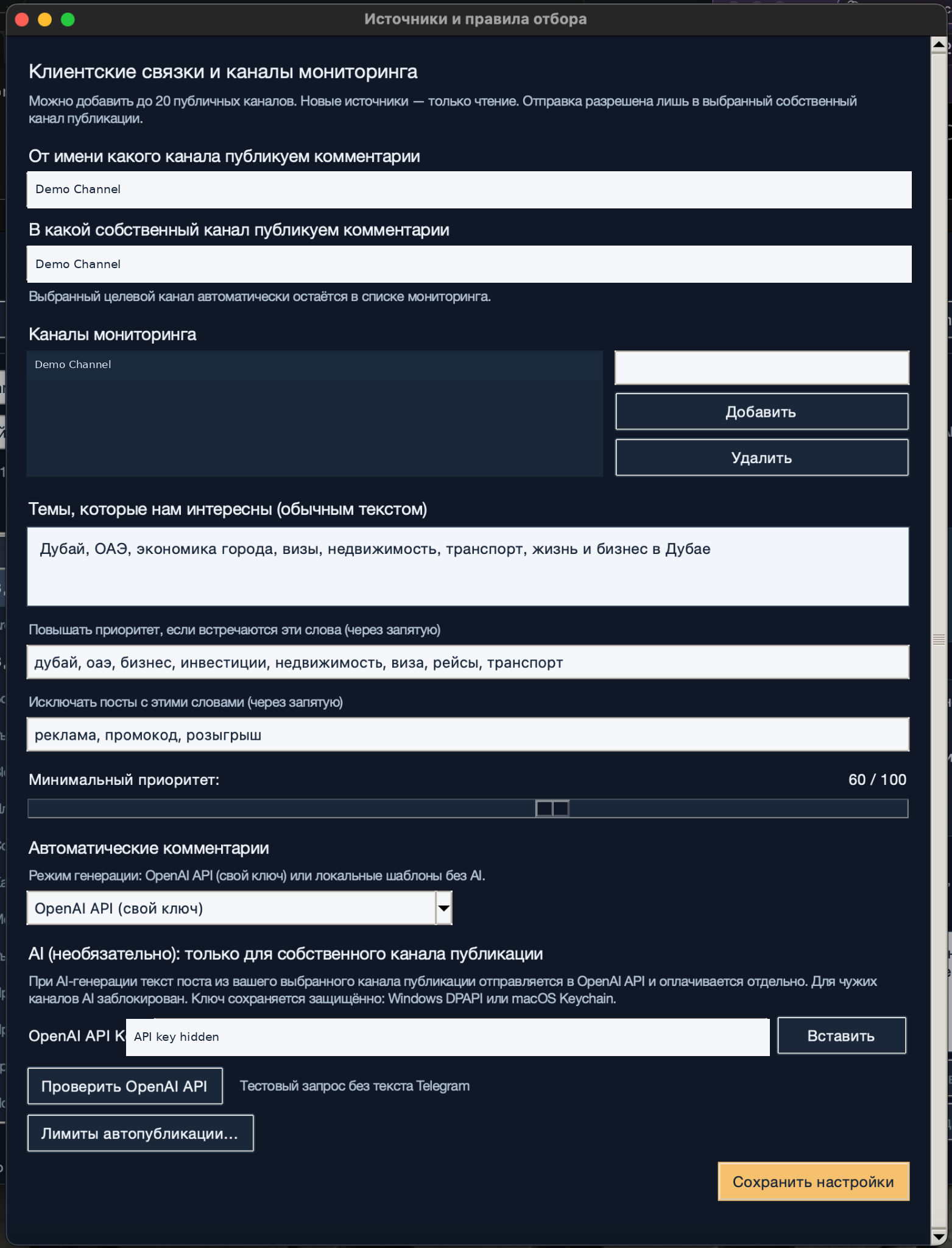
Open the source settings. Enter a public channel in the field beside the monitoring list and select «Добавить» (Add). You can add up to 20 public sources. To remove a channel, select it and choose «Удалить» (Remove).
Step 3 of 4
Save your channel list
Check the list and select «Сохранить настройки» (Save settings). Adding a source allows monitoring only. Select your own channel for publishing separately.
Step 4 of 4
Start monitoring
Start monitoring from the main window and review incoming posts. Remove channels that bring in unrelated material, then use topic rules to refine the selection.
Step 1 of 4
What to expect
New posts from the channels you selected appear in the app for review.