
Comment drafting
Start with a draft, edit the wording, and decide when it is ready to publish.
What it does
Write comments yourself, use local templates, or connect your own OpenAI key to draft from permitted content in your own channel.
How it helps
Reviewing a draft lets you check names and figures, remove unsupported claims, and keep the comment relevant to the discussion.
Example
After publishing a transport update in your channel, draft a comment explaining what it means for commuters. Check the facts before publishing it in the discussion.
How to set it up
Step 1 of 4
Choose a drafting method
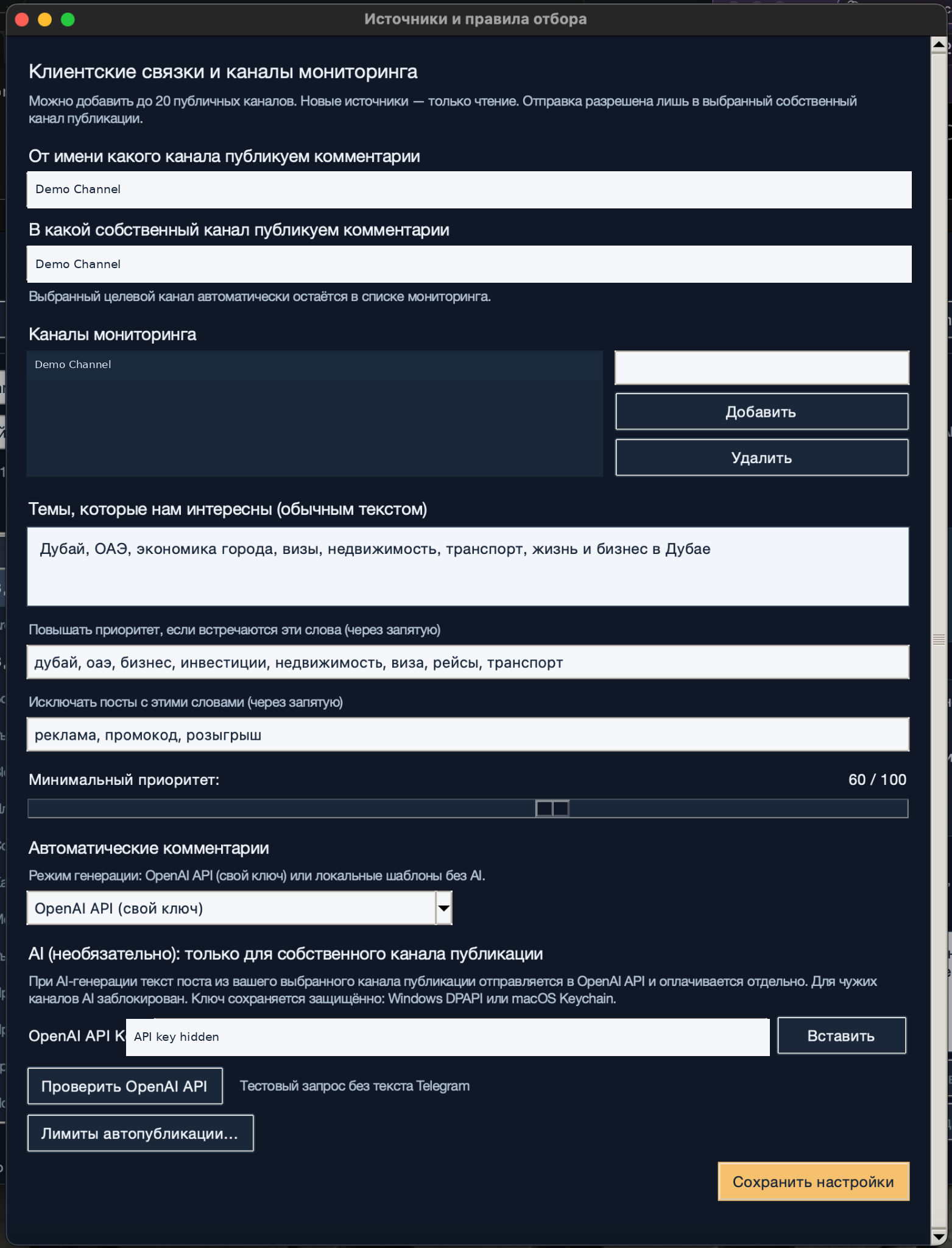
In the source settings, choose local templates or OpenAI API with your own key. For OpenAI, enter your key and select «Проверить OpenAI API» (Test OpenAI API). The test sends no Telegram text. Save the settings.
Step 2 of 4
Read the full post
Select a post and read it in full. Before using OpenAI, check that it comes from your selected publishing channel, that you own the channel, and that you have permission to process the content.
Step 3 of 4
Review and edit the draft
Write a comment or prepare a draft in the app. Check names, numbers, tone, and relevance to the post. Replace generic wording with a specific point and remove unsupported claims.
Step 4 of 4
Check the channel and publish
Confirm that you have selected your own channel and a sender whose publishing rights Telegram has verified. Publish the reviewed comment, then check its status in the publication journal.
Step 1 of 4
What to expect
You have a reviewed comment ready to publish in your own channel's discussion.