
Sender selection
Check publishing rights through Telegram before choosing a sender.
What it does
Choose the name readers will see on your comments from the senders Telegram allows in your channel's discussion.
How it helps
Permissions can change. Checking them for the selected channel helps you confirm that the sender is still allowed to publish there.
Example
To comment under your channel's name, check the available senders for its discussion group and select the channel if Telegram allows it.
How to set it up
Step 1 of 4
Check your publishing channel
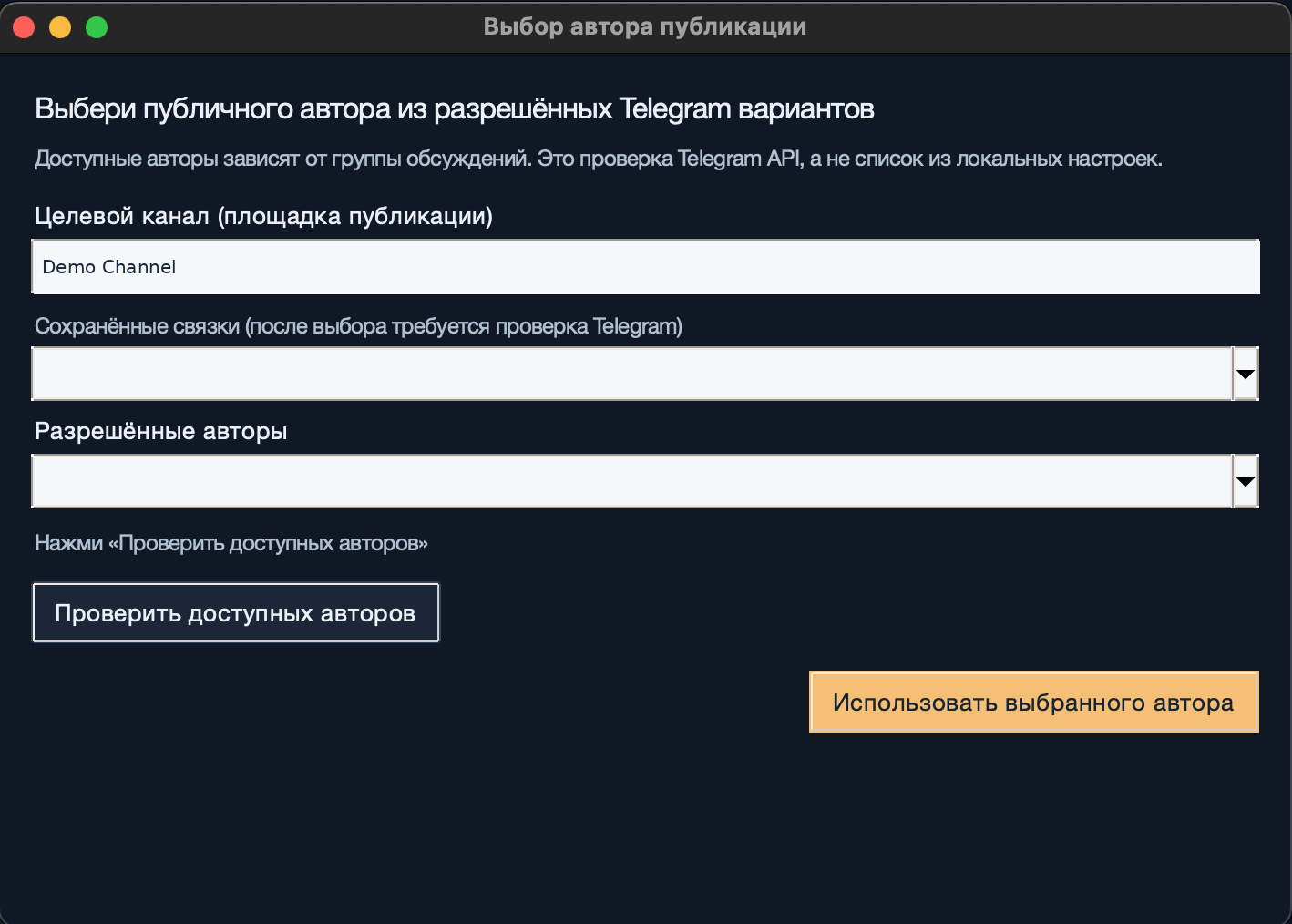
Open «Выбор автора публикации» (Sender selection). Check your own channel in «Целевой канал (площадка публикации)» (Publishing channel). Telegram checks available senders for that channel's discussion group.
Step 2 of 4
Choose a saved combination, if needed
If you have saved this channel and sender before, select them under «Сохранённые связки» (Saved combinations). Check permissions through Telegram again, even if the combination worked previously.
Step 3 of 4
Check the available senders
Select «Проверить доступных авторов» (Check available senders). Wait for Telegram's response, then open «Разрешённые авторы» (Permitted senders). If the sender you need is missing, check the channel and its discussion-group permissions.
Step 4 of 4
Apply your chosen sender
Choose a sender from the permitted list and select «Использовать выбранного автора» (Use selected sender). Check the name readers will see before publishing.
Step 1 of 4
What to expect
Your publishing channel has a sender selected from the options currently allowed by Telegram.